Windows tray utility · Pay once
Your apps, AI, and tools,
one right-click away.
Hold the right mouse button anywhere in Windows. A menu you built opens right at your pointer. Launch apps, rewrite text in place, ask how to do something and watch the pointer guide you there, dictate offline, listen to text read aloud, or copy text from any image or video.
One payment. No account, no credits. Use your own Claude, ChatGPT, API key, or local models.



Hold. Move. Let go.
No window to hunt for. The menu opens at your pointer and adapts to whether you're in a text box, selecting text, or clicking anywhere else.
Hold right click
Hold the right mouse button for a moment (or press Ctrl+Alt+Q). A short click and right-drag still work normally.
Move to a button
Apps on top, actions in a ring or grid, links at the bottom. Release in the center to keep the menu open.
Let go
The action runs right where you are, in any app, without breaking your flow.
AI text actions
Select text. Pick an action. Done.
BtnKit grabs your selected text, runs your prompt with the active app as context, and replaces it in place. You can also append below, copy it, show a popup, or read a summary aloud. Use the built-in prompts or write your own.
Ask AI · Show me
Ask how to do it. Watch the pointer show you.
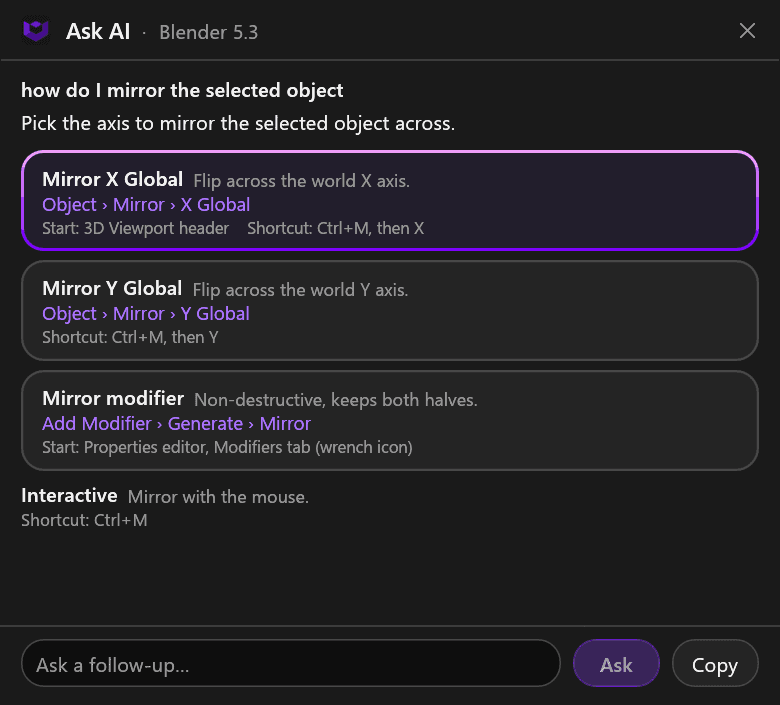
Stuck in Blender, Photoshop, or any desktop app? Open Ask near your pointer. It sees the app name, version, and active window, and gives a short, direct answer with a button for each way to do it.
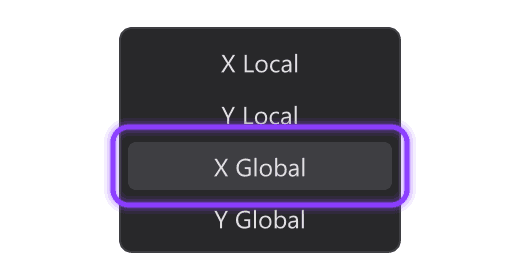
Click a button and BtnKit moves your pointer through the real menus, showing key badges for shortcuts, and stops on the final item with a glowing ring around it. It never clicks the last item. You do.
T3 Code sessions
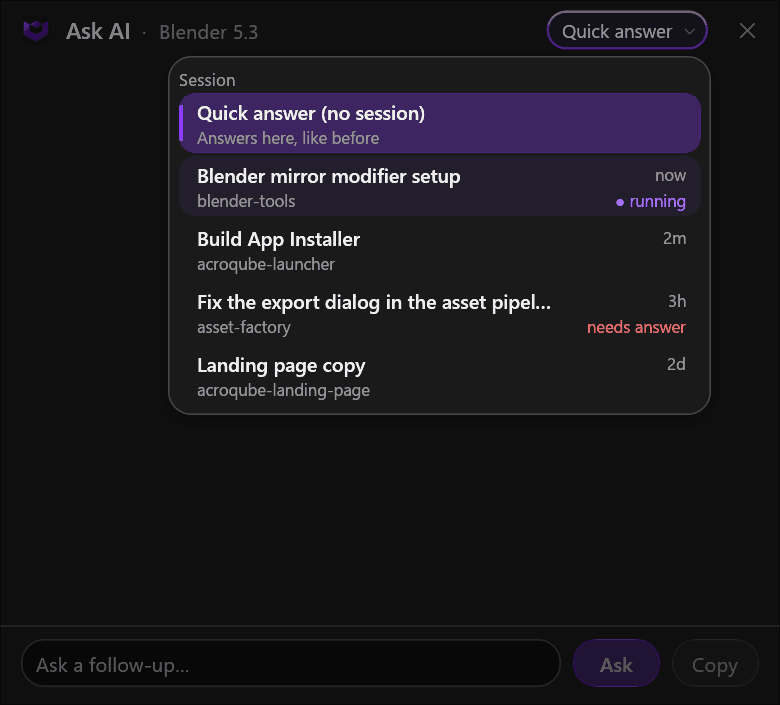
Send questions straight into your running T3 threads.
Pick any active T3 Code thread right from the Ask header. Your question goes into that session along with the active app and a screenshot, so the agent already knows your codebase and recent work.
The window stays in sync with T3. Close it anytime. Nothing stops, and the reply is waiting the next time you open Ask.
Built for how you actually work
Context & per-app menus
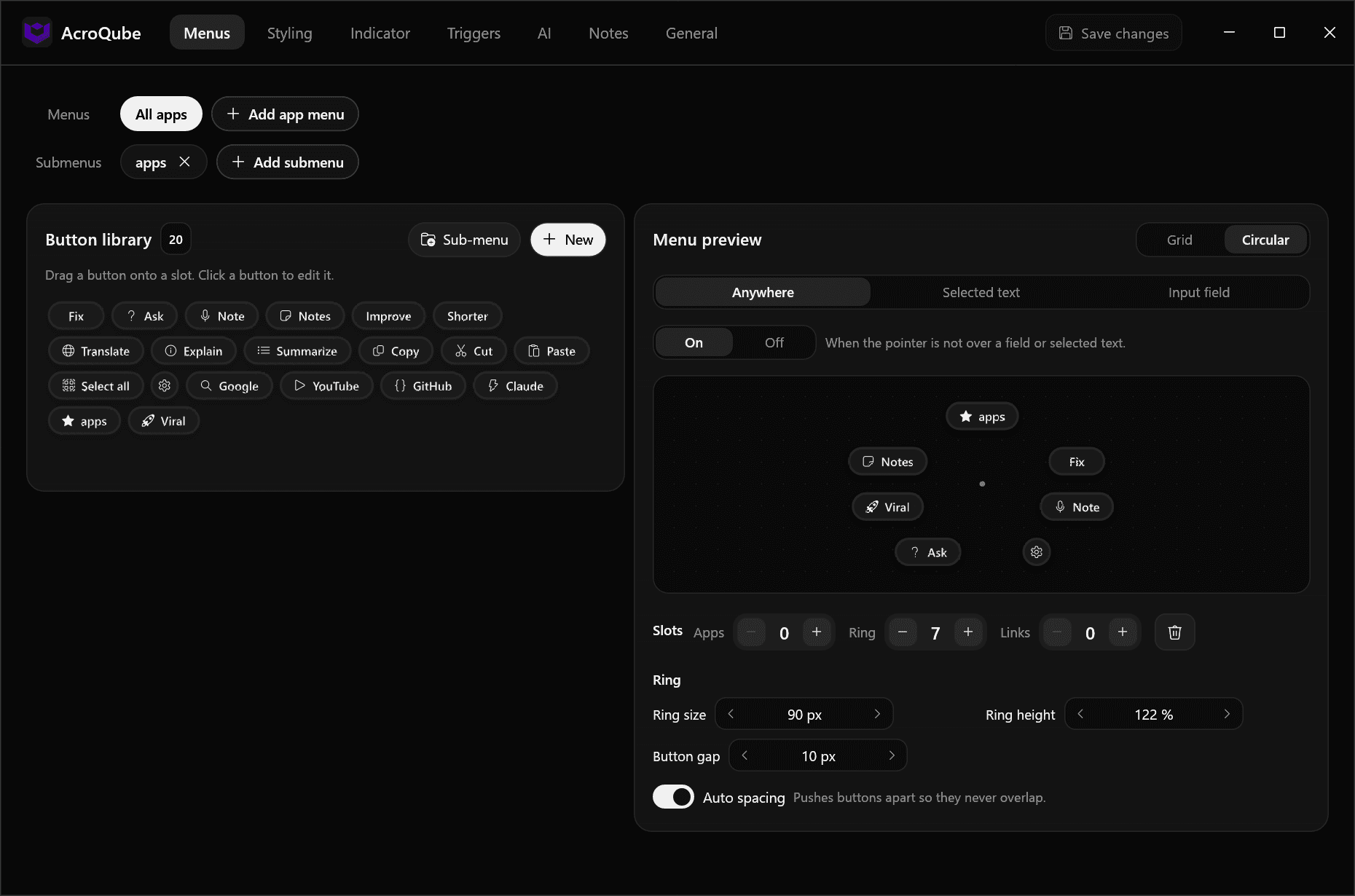
Each menu automatically switches between Input field, Selected text, and Anywhere layouts. You can also build dedicated menus for apps like Blender, Photoshop, or Chrome.
Dictation & voice notes
Hover a button and speak to dictate a quick phrase into any text field, or click for a longer recording. Save voice notes and ask AI questions across them later, with dates.
Read aloud & Listen to summary
Select text anywhere and hear it in a tiny floating player that never steals focus. Or summarize long articles first and listen to the 2 to 4 sentence version.
Copy text from screen
Freeze the screen under your pointer and select text inside images, videos, PDFs, or dialogs. Powered by built-in Windows OCR: local, instant, and offline.
Smart buttons (optional)
Off by default. Surface extra buttons only when they fit, like Explain error in a terminal or Translate on foreign text, using your own rules or optional AI suggestions without shifting your layout.
Local speech & voice
Download local speech-to-text models (Whisper, Parakeet, Canary, and more) and the 26 MB Read Aloud voice right in Settings. No API key or internet required.
Apps, shortcuts & commands
Not just AI. Open apps, files, folders, and web pages, send key combos, type text snippets, run shell commands, and organize nested submenus.
Your layout, your look
Choose ring or grid, tune colors, hover gradients, sizes, themes, and the subtle working indicator that follows your pointer, all with a live preview in Settings.
Shareable .btnkit setups
Export a single button, an app menu with its icons and submenus, a theme, or your whole setup to a .btnkit file. API keys, notes, and credentials are never exported.
Make every menu yours
Click any slot to add a button, drag from the library, and tune your styling with a live preview.
Pay once. Bring your own AI.
Claude subscription
Uses your Claude Pro or Max plan through the official Claude Code CLI. No extra API bill.
ChatGPT subscription
Uses your ChatGPT plan through the official Codex CLI. No extra API bill.
Anthropic API key
Pay per use directly with your own key, including fast-model routing per button.
OpenAI-compatible API
Connect OpenAI, OpenRouter, or local models running in Ollama on your own PC.
Your data stays yours
- No account, no telemetry, no credits, and no monthly fee. Text goes only to the provider you choose.
- Dictation, voice notes, Read Aloud, and Copy text from screen all run locally on your PC.
- API keys are encrypted with your Windows account (DPAPI) and never included in exported .btnkit files.
- Screenshots are sent only when Send screen is on, cropped to the active window and deleted right after.
- Smart buttons are off by default, and AI suggestions automatically skip password managers and finance apps.
- Voice notes store text only, never audio recordings.
Questions
Which systems does it run on?
Windows only, for now. It's a lightweight native Rust tray app.
How much does it cost?
One payment, no subscription. Cloud AI features run on your own Claude or ChatGPT plan, an API key, or a local model via Ollama. All local tools work without any AI subscription.
Will it break my right click or get in the way of games?
No. A short right click opens the normal context menu and right-drag works as before. Only a deliberate hold opens the menu. You can also turn off long-press in specific apps (like Blender or games, including wildcards like adobe*) or with one click from the tray icon.
Does it work offline?
Yes. App launching, shortcuts, text snippets, Copy text from screen, local voice dictation, voice notes, and Read Aloud all run on your PC without internet. Only cloud AI prompts and Ask AI need a connection (unless you use Ollama).
What are T3 Code sessions?
Your running T3 Code threads across all your projects. Pick one in Ask, and your question, along with the app name and a screenshot, goes straight into that thread with full project context.
Does Show me click things for me?
Never on the final action. It moves your pointer through the real menus and stops on the target item with a ring around it. You make the final click. Move your mouse or press Esc to stop it immediately.
Which apps does Show me work with?
Apps with labeled text menus work best, like Blender or desktop editors. Icon-only buttons can't be read as text, so the answer tells you where to look instead.
Hold right click. Everything is right at your pointer.
Version 0.1.0 · Windows